728x90
다음으로 배운 내용 중 더 깊게 파고싶은곳이 있냐 물어보길래 우선 Flutter는 전부 MVVM패턴만 사용하는지 묻고
MVVM을 메인으로 쓴다길래 해당 구조에 대해 맨땅에서 설계하는것에 대해 학습할 수 있게 해달라고 함
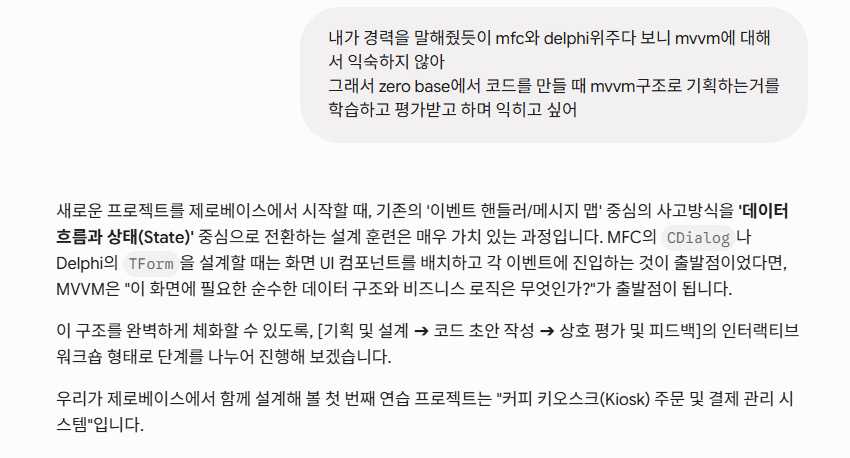

뭐 일단 아는 내용 한번 정리해주고
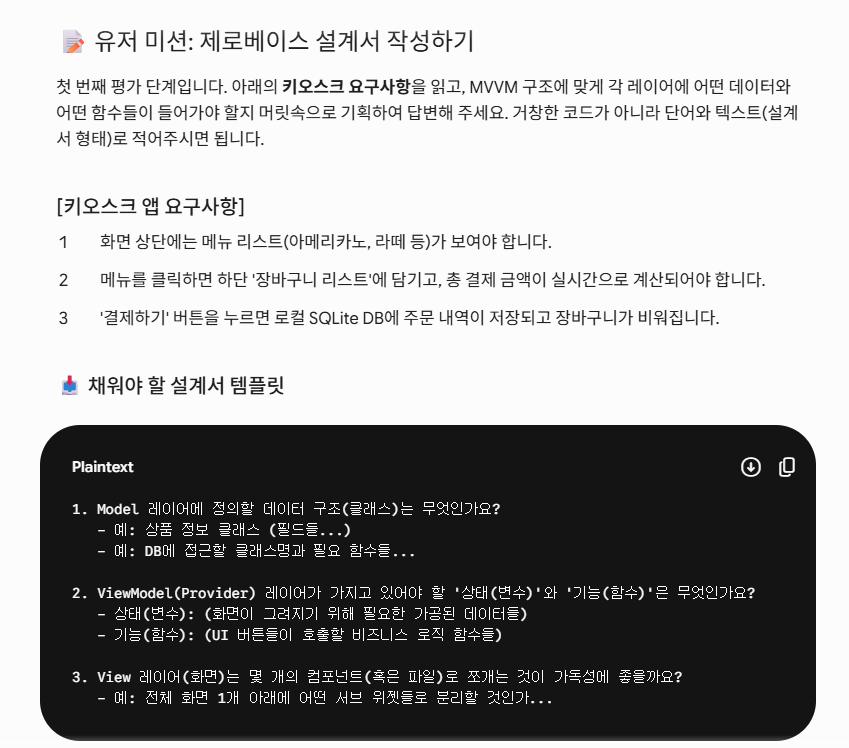
처음으로 미션을 줌 근데 예시에 이미 거의 다 있잖아...
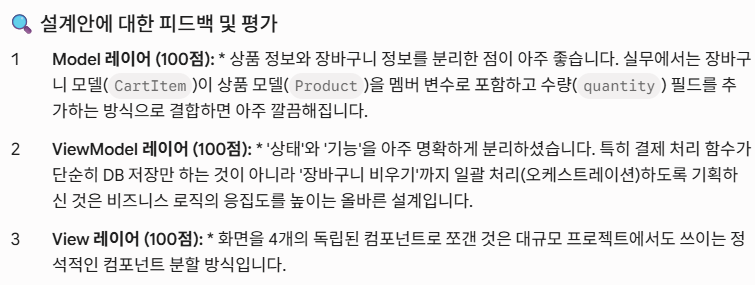
일부러 좋게 답하는거 같아서 찝찝함...
근데 해당 에이전트 대화가 산으로 가지 않으려고 별 말 안했음..

종종 반응형으로 시각요소를 보여주는데 나름 도움이 됨..
이후 작업하던 기존 프로젝트에서 추가로 작업하려기에 맨땅에서 해보고 싶다하여 진행함
"empty apllication"를 선택하면 간단한거였음.. 프로젝트 명이 소문자와 언더바만 사용가능한데 이걸 어기면 프로젝트 생성이 실패함... 생성눌러놓고 Gemini와 대화하다가 오류 뜬걸 못보고 아무 파일, 디렉토리 구조 없는 텅 빈 작업공간을 보고 당황했음..

lib에 구조를 잡아주고
Models
// lib/models/kiosk_models.dart
// 상품 마스터 정보 구조체
class Product {
  final int id;
  final String name;
  final int price;
  final String category;

  Product({
    required this.id,
    required this.name,
    required this.price,
    required this.category
  });
}

// 장바구니 선택 내역 구조체
class CartItem {
  final Product product;
  int quantity; // 수량은 가변적이므로 final 제외

  CartItem({
    required this.product,
    this.quantity = 1
  });

  // 해당 품목의 소계 (단가 * 수량)
  int get totalItemPrice => product.price * quantity;
}
Product
// lib/providers/kiosk_provider.dart
import 'package:flutter/material.dart';
import '../models/kiosk_models.dart'; // 상대 경로 임포트

class KioskProvider extends ChangeNotifier {
  // 1. 마스터 데이터 세팅 (실무에서는 DB나 API에서 가져옴)
  final List<Product> _masterProducts = [
    Product(id: 1, name: '아메리카노', price: 3000, category: '커피'),
    Product(id: 2, name: '카페라떼', price: 3500, category: '커피'),
    Product(id: 3, name: '바닐라라떼', price: 4000, category: '커피'),
    Product(id: 4, name: '아이스티', price: 3500, category: '음료'),
    Product(id: 5, name: '자몽에이드', price: 4500, category: '음료'),
    Product(id: 6, name: '치즈케이크', price: 5000, category: '디저트'),
    Product(id: 7, name: '초코쿠키', price: 2000, category: '디저트'),
  ];

  // 2. 관리할 내부 상태 변수 (은닉화)
  final List<CartItem> _cartItems = [];
  String _selectedCategory = '커피';

  // 3. 외부 View에서 안전하게 읽어갈 Getter
  // 선택된 카테고리의 상품만 필터링하여 반환
  List<Product> get products => _masterProducts.where((p) => p.category == _selectedCategory).toList();
  List<CartItem> get cartItems => _cartItems;
  String get selectedCategory => _selectedCategory;

  // 장바구니에 담긴 전체 금액 실시간 합산 연산
  int get totalPrice => _cartItems.fold(0, (sum, item) => sum + item.totalItemPrice);

  // 4. 비즈니스 로직 함수 (Commands)
  void changeCategory(String category) {
    _selectedCategory = category;
    notifyListeners(); // 구독 중인 뷰들에게 갱신 전파
  }

  void addToCart(Product product) {
    final existingIndex = _cartItems.indexWhere((item) => item.product.id == product.id);

    if (existingIndex >= 0) {
      _cartItems[existingIndex].quantity++;
    } else {
      _cartItems.add(CartItem(product: product));
    }
    notifyListeners();
  }

  void clearCart() {
    _cartItems.clear();
    notifyListeners();
  }
}
View(Main)
import 'package:flutter/material.dart';
import 'package:provider/provider.dart';
import 'providers/kiosk_provider.dart';

void main() {
  runApp(
    ChangeNotifierProvider(
      create: (context) => KioskProvider(),
      child: const MyApp(),
    ),
  );
}

class MyApp extends StatelessWidget {
  const MyApp({super.key});

  @override
  Widget build(BuildContext context) {
    return const MaterialApp(
      debugShowCheckedModeBanner: false,
      home: KioskMainPage(),
    );
  }
}

// =======================================================================
// [메인 레이아웃] 화면을 좌측(메뉴)과 우측(장바구니)으로 분할합니다.
// =======================================================================
class KioskMainPage extends StatelessWidget {
  const KioskMainPage({super.key});

  @override
  Widget build(BuildContext context) {
    return Scaffold(
      appBar: AppBar(title: const Text('커피 키오스크 (MVVM)'), backgroundColor: Colors.brown),
      body: Row(
        children: [
          // 좌측 영역 (비율 2) : 카테고리 탭 + 상품 그리드
          Expanded(
            flex: 2,
            child: Column(
              children: const [
                CategorySelectionView(), // View 1
                Expanded(child: ProductGridView()), // View 2
              ],
            ),
          ),

          // 구분선
          const VerticalDivider(width: 1, thickness: 1),

          // 우측 영역 (비율 1) : 장바구니 리스트 + 결제 바
          Expanded(
            flex: 1,
            child: Column(
              children: const [
                Expanded(child: CartListView()), // View 3
                PaymentView(), // View 4
              ],
            ),
          ),
        ],
      ),
    );
  }
}

// =======================================================================
// [View 1] 카테고리 탭 영역
// =======================================================================
class CategorySelectionView extends StatelessWidget {
  const CategorySelectionView({super.key});

  @override
  Widget build(BuildContext context) {
    // 1. 현재 선택된 카테고리 상태만 구독 (UI 갱신용)
    final selectedCategory = context.watch<KioskProvider>().selectedCategory;
    final categories = ['커피', '음료', '디저트'];

    return Container(
      color: Colors.grey[200],
      padding: const EdgeInsets.all(8.0),
      child: Row(
        mainAxisAlignment: MainAxisAlignment.spaceAround,
        children: categories.map((category) {
          final isSelected = selectedCategory == category;
          return ElevatedButton(
            style: ElevatedButton.styleFrom(
              backgroundColor: isSelected ? Colors.brown : Colors.grey,
            ),
            // 2. 클릭 시 ViewModel의 함수 호출 (데이터 변경 요청)
            onPressed: () => context.read<KioskProvider>().changeCategory(category),
            child: Text(category, style: const TextStyle(color: Colors.white)),
          );
        }).toList(),
      ),
    );
  }
}

// =======================================================================
// [View 2] 상품 4x4 그리드 영역
// =======================================================================
class ProductGridView extends StatelessWidget {
  const ProductGridView({super.key});

  @override
  Widget build(BuildContext context) {
    // 1. ViewModel에서 현재 카테고리에 맞는 상품 목록을 가져옴
    final products = context.watch<KioskProvider>().products;

    return GridView.builder(
      padding: const EdgeInsets.all(16.0),
      // 4열(4x4) 그리드 설정
      gridDelegate: const SliverGridDelegateWithFixedCrossAxisCount(
        crossAxisCount: 4,
        crossAxisSpacing: 10,
        mainAxisSpacing: 10,
      ),
      itemCount: products.length,
      itemBuilder: (context, index) {
        final product = products[index];
        return InkWell(
          // 2. 상품 클릭 시 장바구니 추가 함수 호출
          onTap: () => context.read<KioskProvider>().addToCart(product),
          child: Card(
            elevation: 3,
            child: Column(
              mainAxisAlignment: MainAxisAlignment.center,
              children: [
                Icon(Icons.local_cafe, size: 40, color: Colors.brown[300]),
                const SizedBox(height: 10),
                Text(product.name, style: const TextStyle(fontWeight: FontWeight.bold)),
                Text('${product.price}원', style: const TextStyle(color: Colors.blue)),
              ],
            ),
          ),
        );
      },
    );
  }
}

// =======================================================================
// [View 3] 장바구니 리스트 영역
// =======================================================================
class CartListView extends StatelessWidget {
  const CartListView({super.key});

  @override
  Widget build(BuildContext context) {
    // 1. 장바구니 목록 상태 구독
    final cartItems = context.watch<KioskProvider>().cartItems;

    if (cartItems.isEmpty) {
      return const Center(child: Text('장바구니가 비어 있습니다.'));
    }

    return ListView.builder(
      itemCount: cartItems.length,
      itemBuilder: (context, index) {
        final item = cartItems[index];
        return ListTile(
          title: Text(item.product.name),
          subtitle: Text('${item.product.price}원 x ${item.quantity}'),
          trailing: Text('${item.totalItemPrice}원', style: const TextStyle(fontWeight: FontWeight.bold)),
        );
      },
    );
  }
}

// =======================================================================
// [View 4] 하단 결제 바 영역
// =======================================================================
class PaymentView extends StatelessWidget {
  const PaymentView({super.key});

  @override
  Widget build(BuildContext context) {
    // 1. 총 결제 금액 상태 구독
    final totalPrice = context.watch<KioskProvider>().totalPrice;

    return Container(
      color: Colors.brown[50],
      padding: const EdgeInsets.all(24.0),
      child: Column(
        children: [
          Row(
            mainAxisAlignment: MainAxisAlignment.spaceBetween,
            children: [
              const Text('총 결제 금액:', style: TextStyle(fontSize: 20, fontWeight: FontWeight.bold)),
              Text('$totalPrice원', style: const TextStyle(fontSize: 24, color: Colors.redAccent, fontWeight: FontWeight.bold)),
            ],
          ),
          const SizedBox(height: 16),
          SizedBox(
            width: double.infinity,
            height: 60,
            child: ElevatedButton(
              style: ElevatedButton.styleFrom(backgroundColor: Colors.brown),
              // 2. 결제 완료 (장바구니 초기화) 함수 호출
              onPressed: () => context.read<KioskProvider>().clearCart(),
              child: const Text('결제하기', style: TextStyle(fontSize: 20, color: Colors.white)),
            ),
          ),
        ],
      ),
    );
  }
}
4개의 View클래스가 서로를 몰라야 한다는점도 흥미롭고 무척 편하다고 느껴짐
728x90
'운동하는 개발자 > Flutter' 카테고리의 다른 글
| 13년차 응용프로그래머, Gemini에게 Flutter 배우기 - 8 libserialport (1) (0) | 2026.06.16 |
|---|---|
| 13년차 응용프로그래머, Gemini에게 Flutter 배우기 - 7 MVVM (2) (0) | 2026.06.06 |
| 13년차 응용프로그래머, Gemini에게 Flutter 배우기 - 5 SQLite (0) | 2026.05.31 |
| 13년차 응용프로그래머, Gemini에게 Flutter 배우기 - 4 RestAPI (0) | 2026.05.27 |
| 13년차 응용프로그래머, Gemini에게 Flutter 배우기 - 3 (0) | 2026.05.27 |


